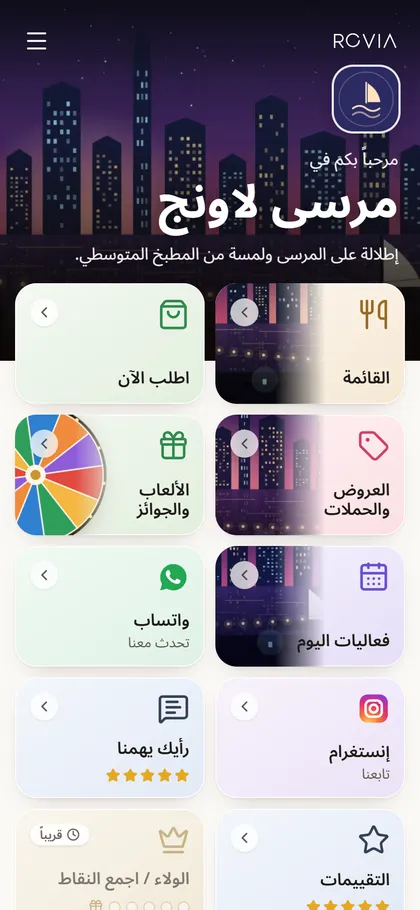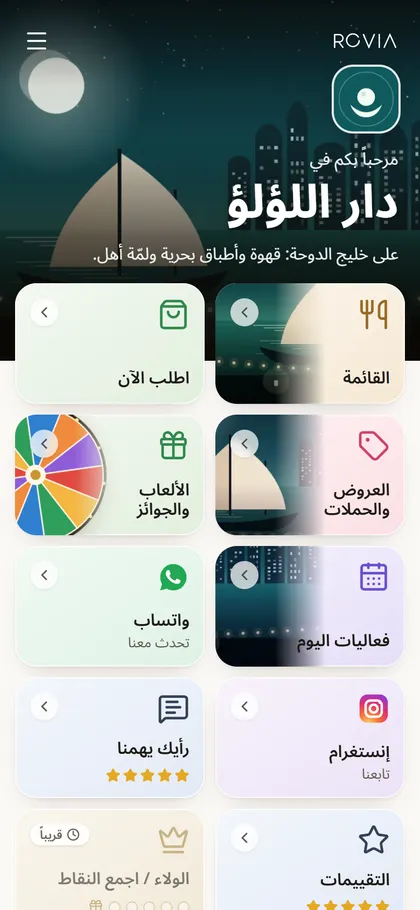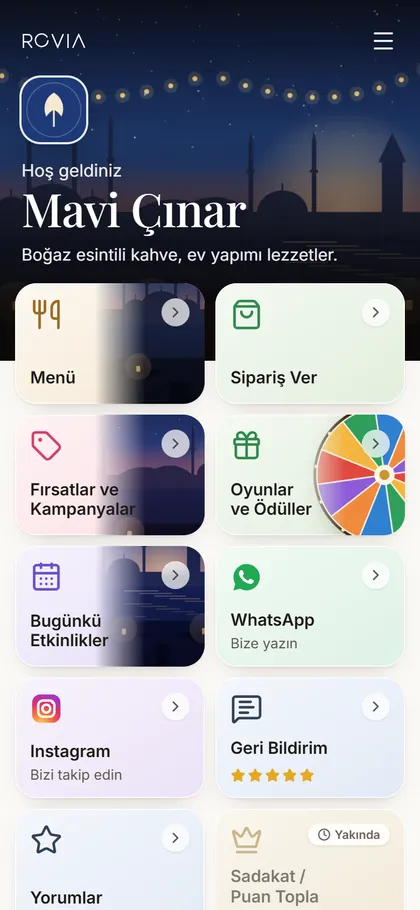
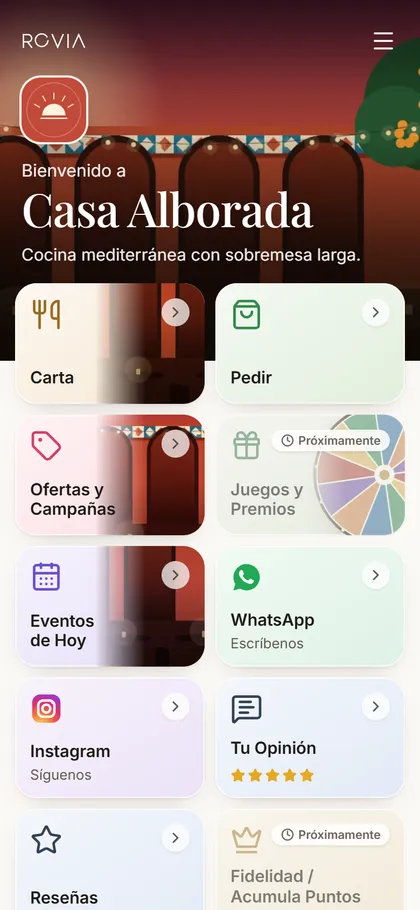
ROVIA SPACE

Keep your existing menu. Turn your QR into a complete digital space.

You do not need to replace your QR menu, POS or ordering provider. Give us your existing menu and order links, and ROVIA becomes the new customer-facing QR entry point: one permanent QR that opens a branded space in your guests’ language.

  • No app for guests
  • Your existing menu and ordering stay as they are
  • English, Turkish, Spanish, Italian and Arabic (right-to-left)
Mavi Çınar — ROVIA Space
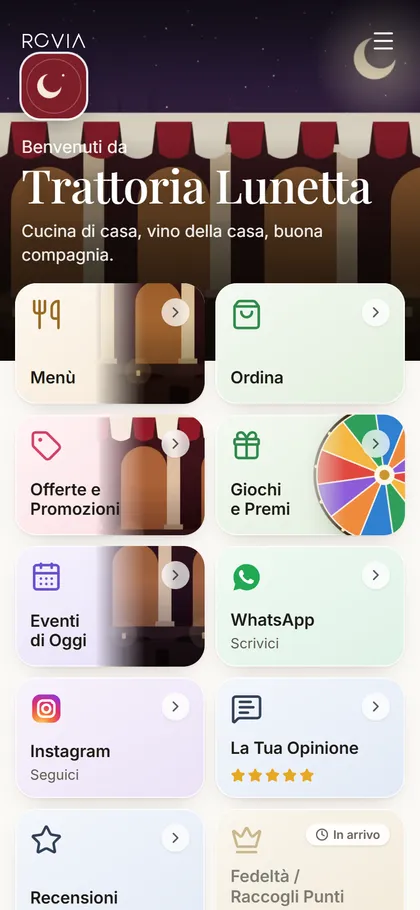
Casa Alborada — ROVIA Space
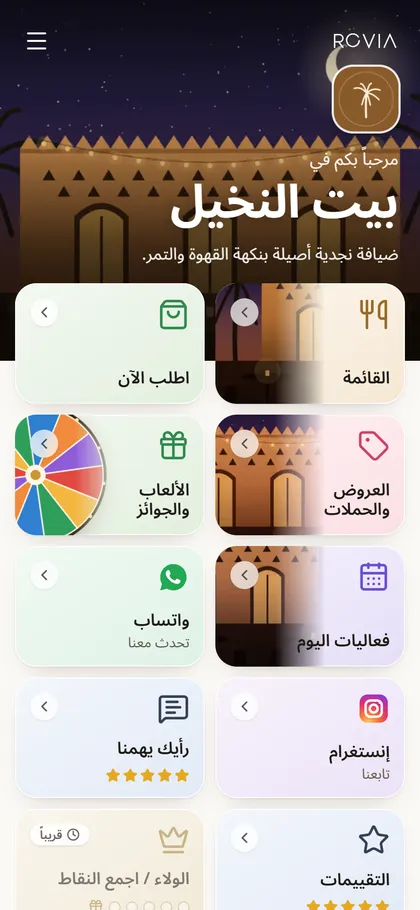
Bayt Al Nakheel — ROVIA Space

HOW IT FITS

ROVIA sits in front. Your systems stay behind.

The printed QR opens ROVIA Space. From there, each card sends the guest to what already works for you.

  1. 01

    Guest scans the QR

    One permanent ROVIA QR on the table, the door or the menu card.

  2. 02

    ROVIA Space opens

    A mobile page with your name, cover and the cards you chose.

  3. 03

    Guest picks a card

    Menu, Order, WhatsApp, Games, Events and more.

  4. 04

    Your systems take over

    Your menu provider and your ordering or POS provider serve the guest as before.

What ROVIA Space is not

  • Not a menu replacement: you can keep your QR-menu provider.
  • Not an ordering system: the Order card only opens your existing ordering or POS page.
  • Not a payment or POS product: no cart, checkout, kitchen screen or table logic.

CORE MODULES

Everything a guest needs from the table, in one QR.

  • Menu

    Your existing QR-menu link, or a simple native ROVIA menu.

  • Order

    A button to your existing ordering or POS provider. Skip it if your menu already includes ordering.

  • Offers & Campaigns

    Today’s offers on a ROVIA page, or your own link.

  • Games

    Opens ROVIA QR Fun for guests at the table. Leaderboards and rewards are optional: a business switches them on only when it wants to run them.

  • Events

    What is on today, as a page or a link.

  • WhatsApp

    Opens a chat with your business straight in the WhatsApp app.

  • Instagram

    Straight to your profile.

  • Feedback

    A private star rating and note. Guests see only the average and the number of ratings.

  • Reviews

    Your Google or other public review page, separate from feedback.

  • Loyalty

    Coming soon.

More modules, including paid ones, can be added over time. The QR you print today keeps working.

TWO WAYS IN

Start as a business, or bring ROVIA to your clients.

For Businesses

Setup is simple, and nothing is migrated.

  1. 1Give us your existing menu and order links.
  2. 2Configure your Space: name, cover, cards and order.
  3. 3Replace the visible or printed QR with the ROVIA QR.
  4. 4Keep your existing menu backend.
Get your Space

Tell us your venue and links. We reply with your Space.
For Partners

QR-menu, POS and ordering providers, agencies and distributors: your platform stays yours. ROVIA becomes the front door that routes guests to it.

  • Reseller
  • Integration
  • White-label
  • Distribution
Apply as a partner

Open in Türkiye, Spain, Italy, Saudi Arabia, the UAE and Qatar.

ROVIA SPACE

Ready to give your QR a new job?

Keep your menu. Add the space around it.